How to Build an Agent Platform
Cloud platforms, data platforms, and now agent platforms.
Every company wants to build one and run a fleet of agents. Having built cloud, compute and data platforms before, I'm hoping we can learn from the mistakes of our past and build it right the first time 'round.
The data era is a particularly cautionary tale. I lived through the great unbundling where we had to stitch multiple tools for ingestion, orchestration, transformation, and services for metadata, BI, and data quality. Each tool worked great in isolation but using them together was a pain. 80% of engineering time went into gluing things together. Then came the bundling. Snowflake, Databricks, and the cloud providers (esp AWS) consolidated the stack and provided unified platforms.
The agent era is starting the same way, with features being sold as products and vendors for solving problems that don't really exist yet.
If you find yourself running agents with data on 3 providers, traces in multiple places and no auto-improvement loop, this article is for you.
You need an agent platform
If you think of agents as apps, it becomes clear that they need a system to run on, like an OS.
Your agent platform is responsible for running the agents, collecting data and metrics, managing security by preventing unauthorized access, and stopping one agent from accessing or polluting the data of another.
What we're building
Today we'll build an agent platform that you can run locally, or on Railway for $20/mo.
Once it's running, you should be able to ship a new agent (or workflow) without writing any code. Because the platform takes care of everything, Claude Code can build new agents with a high degree of quality, and then recursively improve them by querying them live. This is the single biggest advantage of having a unified agent platform.
We'll also set up a scheduler for recurring work, lock in behavior with evals, and connect agents to interfaces like Slack.
The most fun is watching Claude Code recursively improve your agents.
What makes an agent platform
An agent platform is made of five parts:
- Runtime: the service that runs the agents. This part does most of the heavy lifting.
- Storage: the database where our data lives: agent sessions, memory, knowledge, traces and eval history.
- Connectors: tools for agents to connect with external systems via MCP, API, or CLI. Having them in one place is a big + for security.
- Interfaces: Slack, Discord, Telegram, custom UIs. One place to resolve identity across surfaces, so the same person is the same
user_idwhether they ping you in Slack or hit the web app. - Infrastructure: where everything runs. We'll use Docker for local and Railway for production.
Let's get started
I'm going to share a foundational codebase that you can build upon.
This, in my opinion, is the perfect starting point for an agent platform.
agent-platform
├── agents                       # agent code goes here
│   ├── code_search.py
│   └── web_search.py
├── app                          # server code goes here
│   ├── config.yaml
│   ├── main.py
│   └── settings.py
├── compose.yaml
├── db
│   ├── session.py
│   └── url.py
├── Dockerfile
├── docs                         # docs go here
│   ├── create-new-agent.md
│   ├── eval-and-improve.md
│   ├── improve-agent.md
│   └── review-and-improve.md
├── evals
│   └── cases.py                 # test cases
└── README.md
Step 1: Run locally
First let's clone, configure, and run our agent platform.
Make sure Docker is installed and running. Follow these steps if not.
Then open your terminal and run one by one:
- Clone the agent-platform template
git clone https://github.com/agno-agi/agentos-railway-template.git agent-platform
cd agent-platform- Configure your environment. Copy the example .env file, open in your favorite code editor and add the OpenAI key there.
cp example.env .env- Run your platform: 1 FastAPI server and 1 Postgres database
docker compose up -d --buildThis brings up two containers: a FastAPI server and a Postgres database. Confirm the API is running at http://localhost:8000/docs.
Now let's give our platform a UI.
- Head to os.agno.com and sign in.
- Click Add OS → Local, enter
http://localhost:8000, and click Connect.
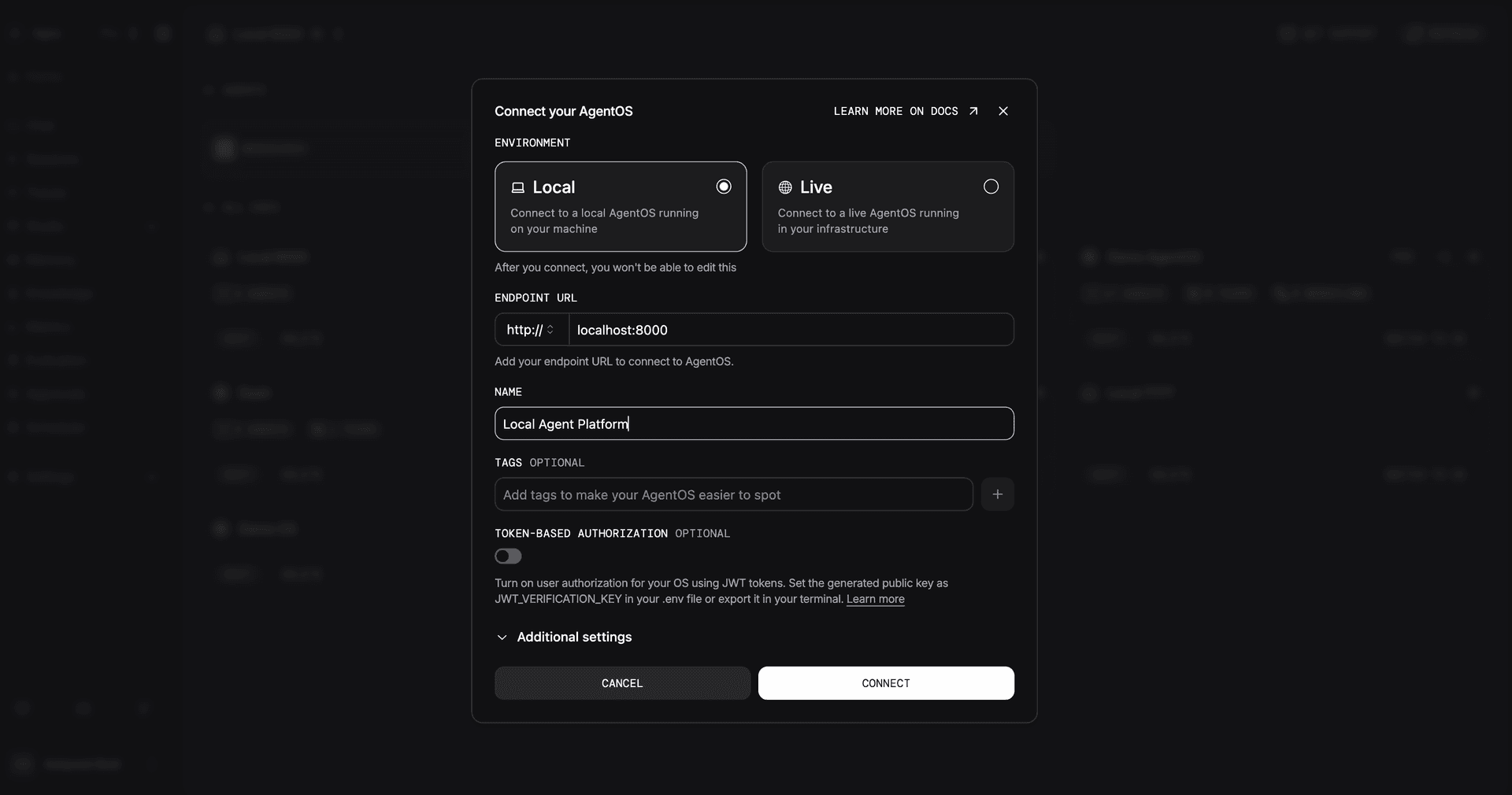
You should see something like:
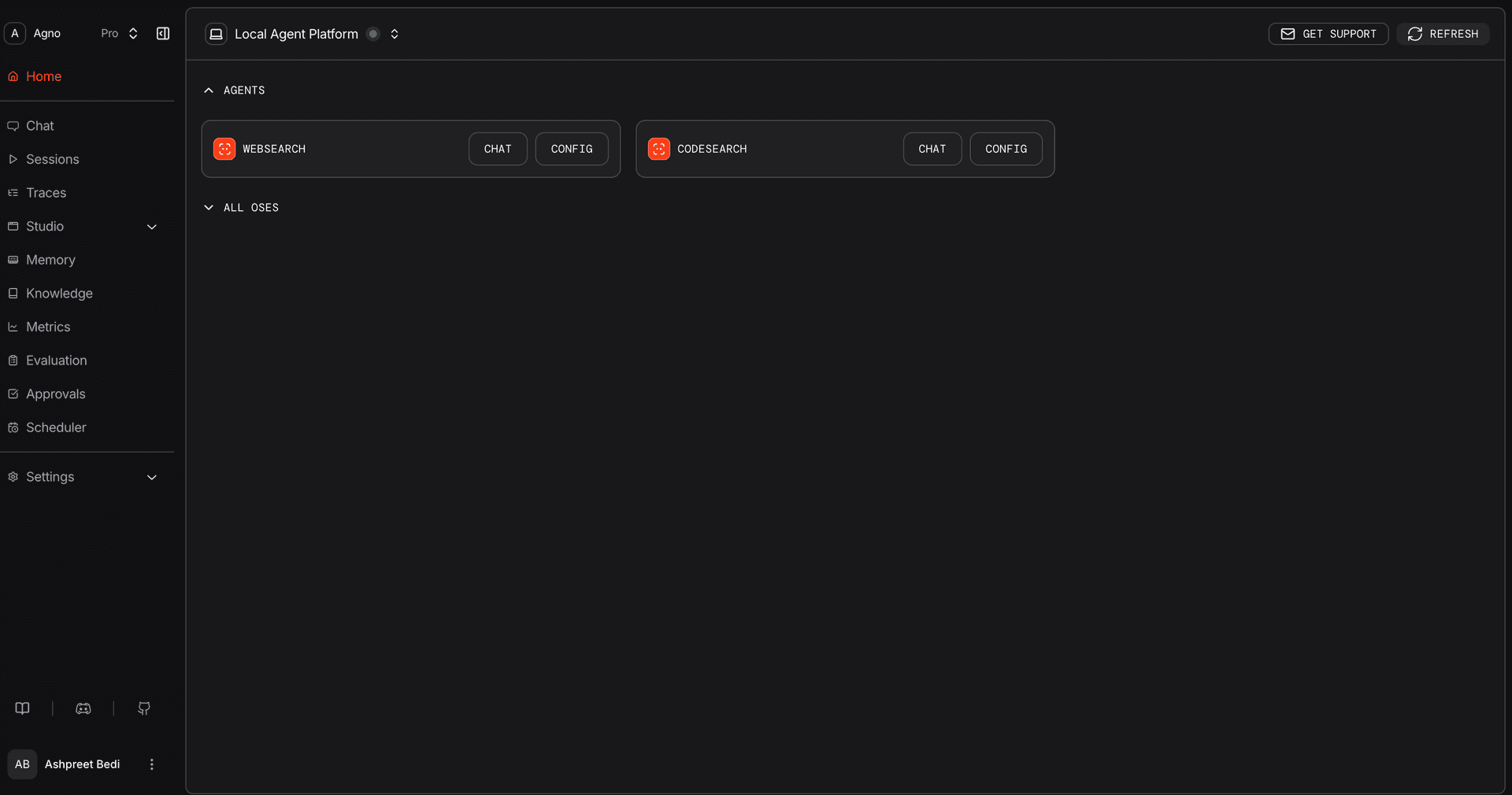
Step 2: Create your first agent
The codebase comes with two reference agents and a Claude Code prompt that can build new ones for you.
To create a new agent, open Claude Code and run:
Run docs/create-new-agent.mdClaude will ask you what the agent should do, what tools it needs, then generate the agent file, register it in app/main.py, restart the container, and run a smoke test.
This usually takes 5-10 minutes for a simple agent. More if you're building something bespoke with custom tools.
Step 3: Test your new agent
Open os.agno.com to chat with your agent. Run it through realistic prompts. Check the traces and sessions. Try to break it. Try out-of-distribution questions, prompt injections, edge cases. This usually takes 5-20 minutes.
Step 4: Recursively improve your agent
This is where your platform starts paying dividends.
Open Claude Code in the repo and paste:
Run docs/improve-agent.mdClaude Code can directly hit your live agents using curl. Then iterate and improve your agents.
This is why owning the stack pays off. The trace data, the agent code, the running platform, and the iteration tool all live in one box. Claude Code can see all of it and improve as needed.
Step 5: Lock in behavior with evals
Evals are the regression test for your agents. Same prompts, same agents, run on a schedule, fail when behavior drifts.
Evals are defined as a set of cases:
# evals/cases.py
Case(
    name="web_search_recent_anthropic_research",
    agent=web_search,
    input="What did Anthropic publish about agent research recently?",
    criteria=(
        "Answers the question by citing at least one real Anthropic URL "
        "(anthropic.com domain). The response is grounded in fetched content "
        "rather than refusing to answer."
    ),
    expected_tool_calls=(_WEB_SEARCH_TOOL,),
)
Run them later with: python -m evals
Results write to your Postgres via eval_db, so eval history shows up at os.agno.com alongside sessions and traces. Connect Claude Code to the diagnosis loop by pasting Run docs/eval-and-improve.md. It triages every failure and fixes the issues in scope.
Step 6: Run on Railway
Let's take our platform live by hosting it somewhere. Your company probably has a set way of running software. Follow whatever that is.
If you're looking for a place to test this out without going through the full devops process, Railway is the cheapest and fastest PaaS I've found. $20/month gets you pretty far and the codebase already comes with deploy-to-railway scripts.
Requires the Railway CLI and
railway login.
6.1 Configure production environment
The deploy scripts read .env.production first and fall back to .env. This lets you keep separate values for local and production: different OpenAI keys with different budgets, production-only credentials, a different Slack workspace, and so on.
cp .env .env.production
# Edit .env.production with production values
6.2 Deploy
The codebase comes with a script that provisions a Postgres database and deploys the app on the same private network. Run it:
./scripts/railway/up.sh6.3 Your first deploy will fail. That's expected.
Token-Based Authorization is ON by default.
Without a JWT_VERIFICATION_KEY, the app refuses to serve traffic. Your platform's job is to keep your data off the public web. The fix is to generate a key and put it in your production env.
The alternative was to ship with auth off and expect people to add it on later, which we all know isn't going to happen. People will leave their servers open to the public internet, get hacked, then blame me.
Token-Based Auth gives you three things:
- No public access. The server rejects requests without a valid token.
- Per-request identity. The middleware parses the token and injects
user_id,session_id, and custom claims into your endpoints. Each request is tied to a user and session, so data leakage is prevented. - Granular permissions. A user-level token can run an agent and view its own sessions. An admin token can read everyone's sessions and test any agent. You don't need to know or care about RBAC right now, but you have the foundation in place for when you start thinking about security.
6.4 Get your verification key
The default path is to let os.agno.com generate the keypair for you:
- Open os.agno.com, click Add OS → Live, enter your Railway domain, and connect.
- Enable Token Based Authorization.
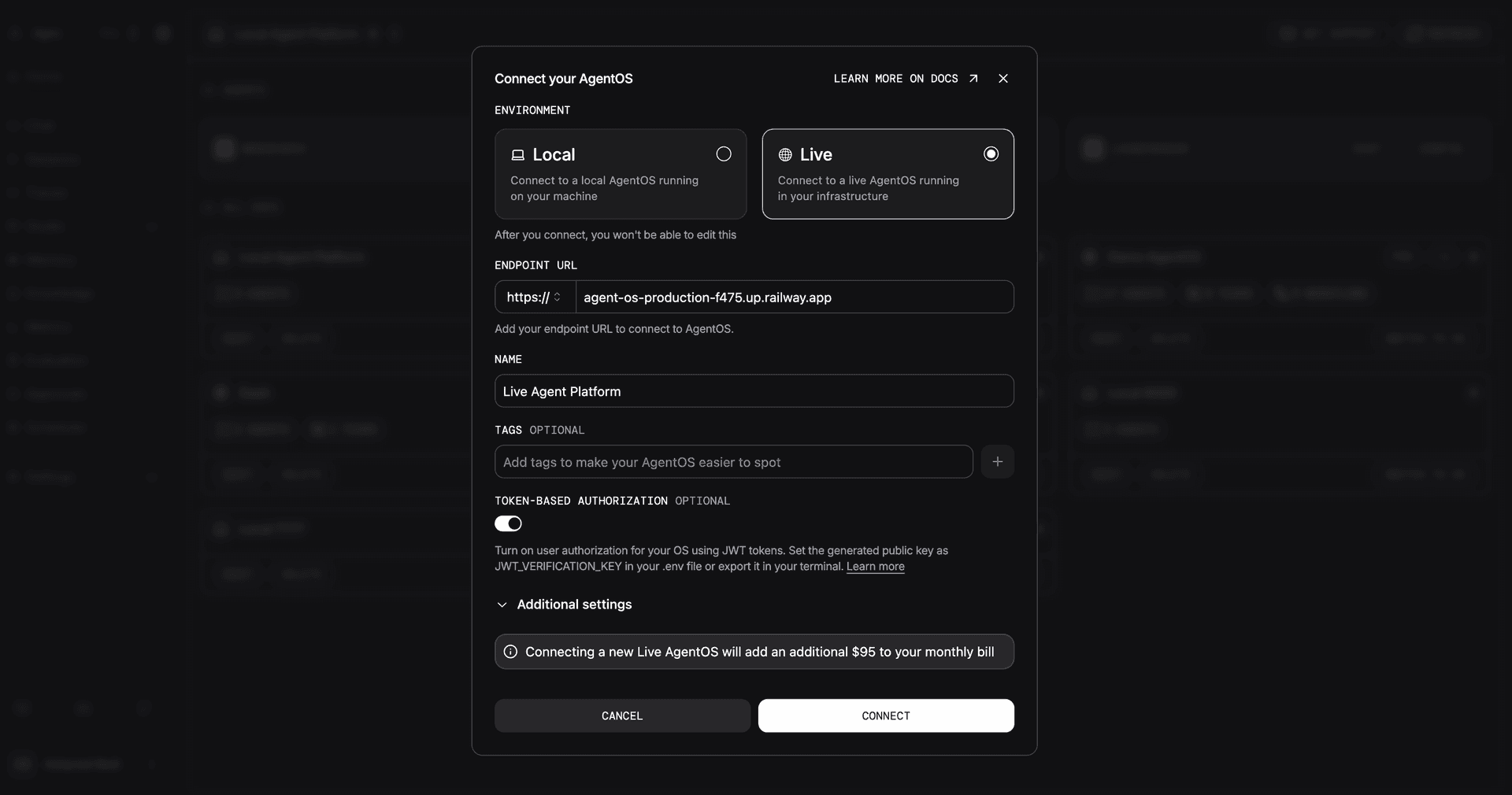
- Paste the public key into
.env.production(full PEM block, no surrounding quotes):
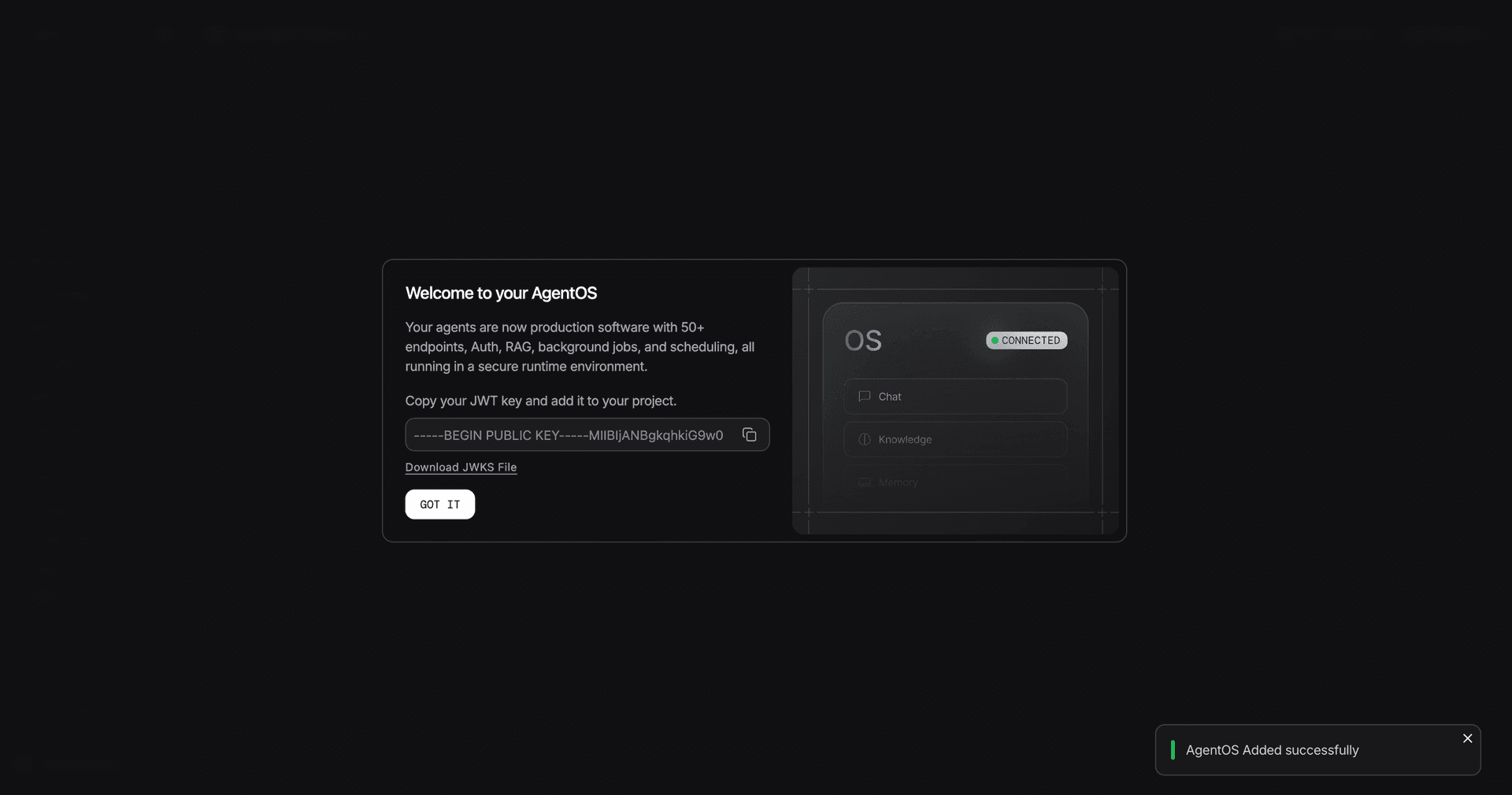
JWT_VERIFICATION_KEY=-----BEGIN PUBLIC KEY-----
MIIBIjANBgkq...
-----END PUBLIC KEY-----
Live connections to AgentOS require a pro subscription. Use the
PLATFORM30coupon code for a 1 month free trial. Remember to cancel before the trial ends if you don't want to be charged.
You don't have to use os.agno.com for this. You can generate your own RSA or EC keypair, sign tokens with the private key in your own service, and put the matching public key in JWT_VERIFICATION_KEY. The platform doesn't care where the key came from, as long as incoming tokens verify.
6.5 Sync env and verify
While .env.production is open, point the in-cluster scheduler at your public Railway domain so cron triggers can reach AgentOS:
# .env.production
AGENTOS_URL=https://<your-app>.up.railway.app
Then push variables to Railway:
./scripts/railway/env-sync.shRailway auto-deploys when env values change. Watch the logs and confirm the platform is serving:
railway logs --service agent-osOnce you see successful requests, AgentOS will connect through your Railway domain and you're live.
6.6 Auto-deploys from GitHub
So far every code update needs ./scripts/railway/redeploy.sh. To auto-deploy on every push to main:
- Open the Railway dashboard → your project → the agent-os service → Settings.
- Under Source, click Connect Repo and pick your repo.
- Set the deploy branch to
main.
Every push to main now triggers a build and rolling deploy. ./scripts/railway/env-sync.sh is still how you sync env changes.
Opting out of JWT (not recommended)
If you must run production without auth (e.g., inside a private VPC behind another auth layer), set authorization=False in app/main.py and redeploy. Keep authorization on for any deploy holding real data. Without it, anyone who guesses your Railway domain can read your sessions and your agents.
Scaling
The default deploy is two replicas at 4Gi memory and 2 vCPU each. Gives you zero-downtime rolling deploys and basic fault tolerance. Bump numReplicas and limits up or down in railway.json as your usage grows.
Going beyond agents
Rule of thumb: agents for open questions, teams for routing, workflows for processes. Most of your platform will be agents. A few will be teams or workflows. You'll know when you need each.
Multi-agent teams. When one agent isn't enough, route work across a team of specialists. Agno teams come in three modes:
- Coordinate. A leader plans the work, calls the right specialists, and synthesizes.
- Route. A router picks one specialist to handle the request.
- Broadcast. Every specialist runs in parallel; you aggregate.
Use teams when the right specialist isn't known up front. The teams overview walks through each mode.
Agentic workflows. When a process needs to run the same way every time, write a workflow. Workflows give you determinism. Use them for the few high-leverage flows in your platform that need to be repeatable. The workflows overview covers the patterns.
For more on agents themselves (instructions, tools, memory, model configuration), the agents overview is the reference.
Scheduled tasks
The platform ships with a lightweight scheduler enabled by default in app/main.py:
agent_os = AgentOS(
    name="AgentOS",
    scheduler=True,
    ...
)
Schedule any agent or workflow on a cron. Common patterns:
- Maintenance. Purge sessions older than 90 days. Vacuum your Postgres tables. Rotate trace data into cold storage.
- Proactive runs. Every weekday morning, run an agent that summarizes overnight news for your portfolio companies. Post to Slack.
- Catch regressions. Schedule
python -m evalsweekly against your production agents. Drift shows up in eval history before users feel it.
See the agno scheduler docs for the cron API.
Connect to interfaces
Your agents should be available where your users are. Slack threads. Discord channels. Telegram for the field team.
Or most importantly: a custom UI inside your product.
For Slack, Discord, Telegram: the pattern is similar. Expose the agents via an interface. See app/main.py for a reference:
interfaces: list = []
if SLACK_BOT_TOKEN and SLACK_SIGNING_SECRET:
    from agno.os.interfaces.slack import Slack

    interfaces.append(
        Slack(
            agent=code_search,
            streaming=True,
            token=SLACK_BOT_TOKEN,
            signing_secret=SLACK_SIGNING_SECRET,
            resolve_user_identity=True,
        )
    )

...

agent_os = AgentOS(
    ...
    interfaces=interfaces,
)
Read the interfaces guide for more information.
Wrapping up
Congratulations. If you made it this far, you have a unified agent platform running securely in your cloud. Technical users can create and deploy agents using Claude Code. Non-technical users can use the no-code UI.
Sessions, traces, and knowledge live in your database. Your infrastructure is gated behind JWT-based RBAC and API keys are managed in one place.
Why it's important to control your data
Before we close, a note on data sovereignty.
Every interaction with your platform produces data. Sessions, memory, and traces all flow into your Postgres database. Two reasons why this matters:
-
Compliance. Keeping the data in your own database reduces the risk of a breach. The moment customer data, proprietary code, or internal documents touch a third-party trace tool or memory service, your level of security is whatever their level of security is.
-
Auto Improvement. Your traces are how Claude Code (or you) close the loop on agent quality. Coding agents are going to be the main way to build and improve agents. They can only work because the trace data lives where the iteration tool can read it. Vendor-stitched stacks split this surface across three SaaS products and the loop never closes.
The agents you ship today are the smallest part of what you've built. The platform underneath them, and the iteration loop it enables, is the thing that matters.